> For the complete documentation index, see [llms.txt](https://docs.jmapcloud.io/llms.txt). Markdown versions of documentation pages are available by appending `.md` to page URLs; this page is available as [Markdown](https://docs.jmapcloud.io/en/jmap-ng/jmap-ng-user-guide/fonctions/editing-data/editing-table-data.md).
# Editing Table Data
You can modify non-spatial data displayed in tables if you have the required permissions.
## Creating a Record
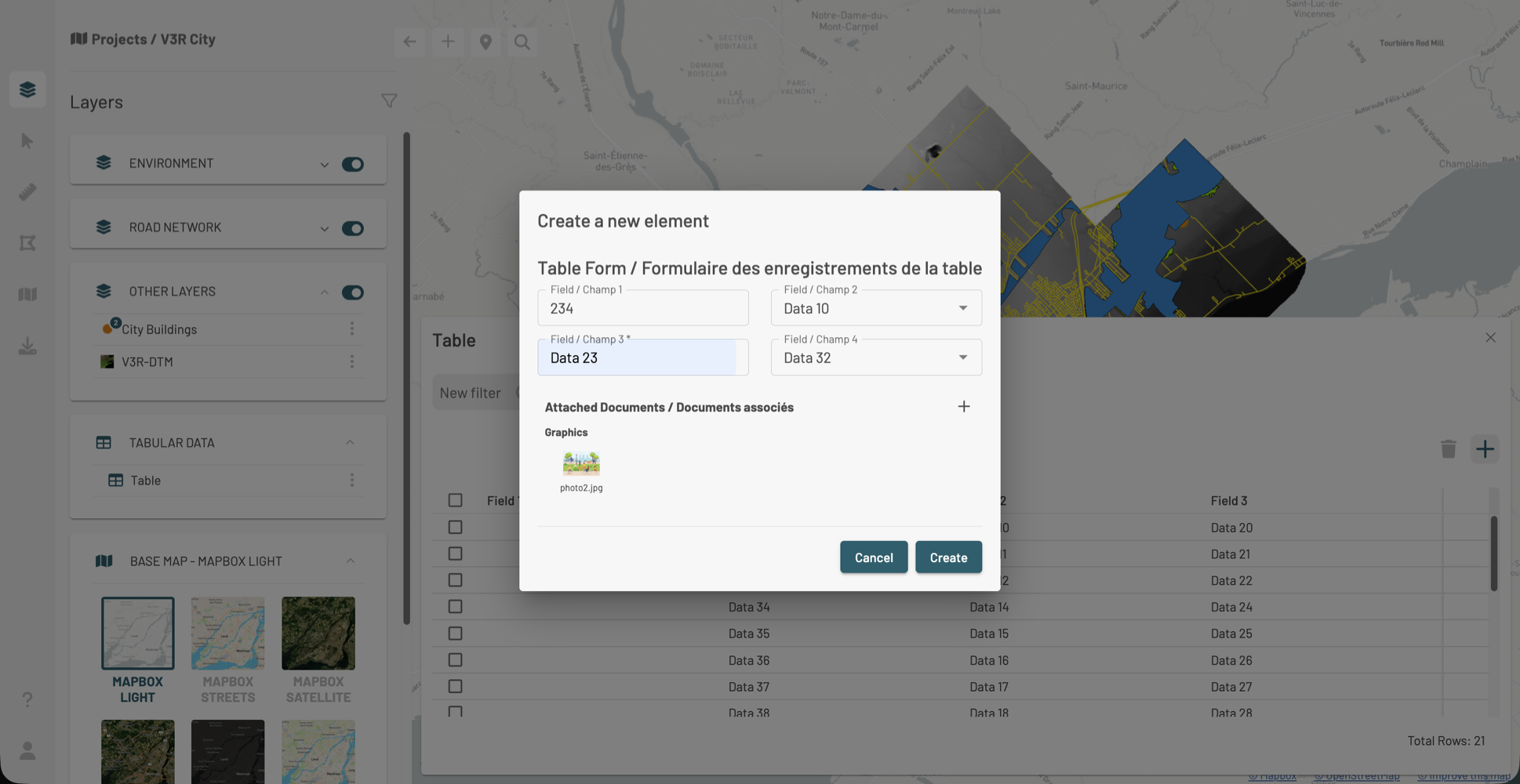
1. Click to open the form.
2. Enter the values for each field in the form. \
Some fields presented as lists may include a blank option, allowing you to enter a null value. If the form allows it, you can attach documents or URLs by clicking . \
Document size must not exceed 20 MB.
3. Once the form is complete, click **Create** to finalize the creation of the record. It appears in the table.
## Modifying a Record
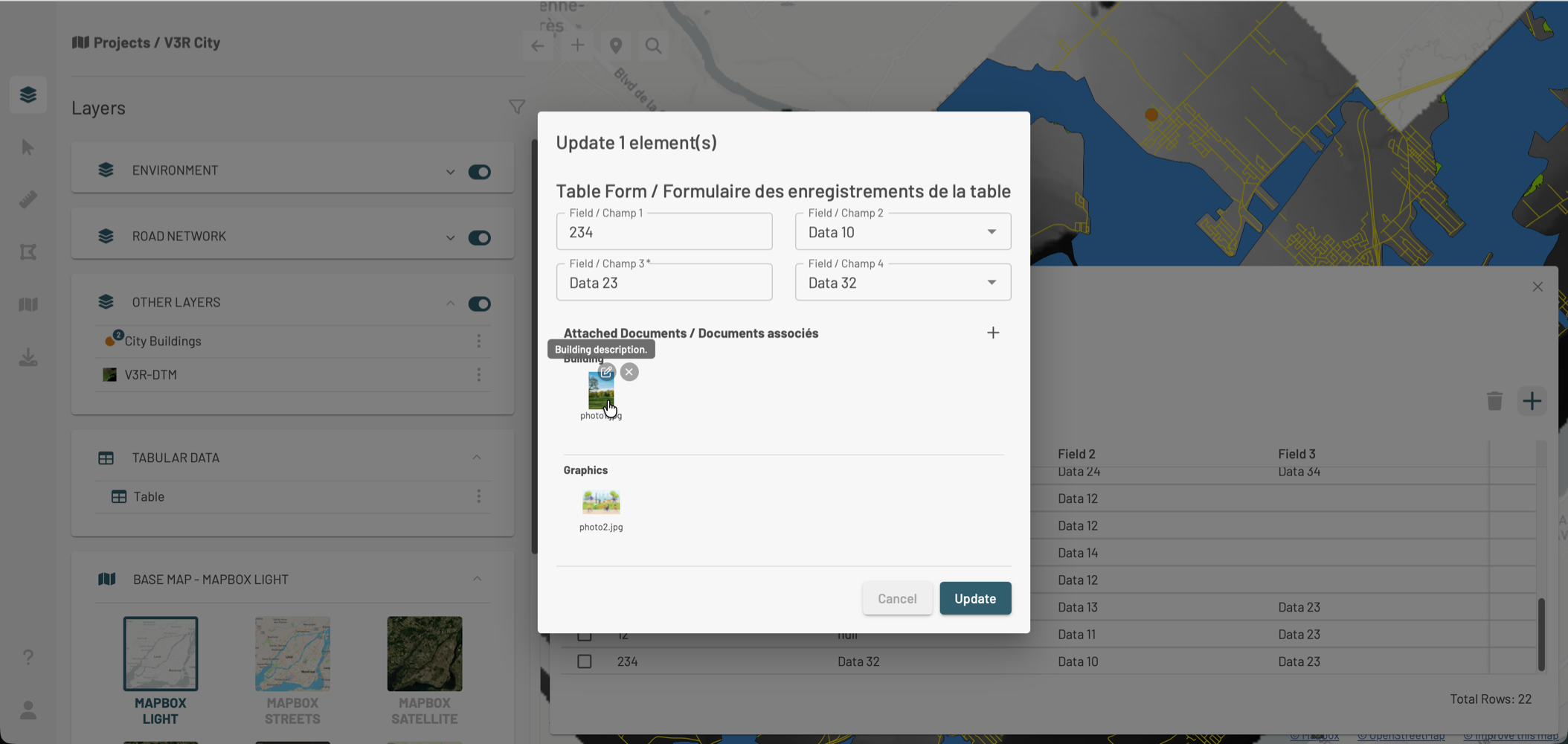
1. Hover over a record to display the edit icon , then click on it.
2. In the **Update 1 item** window, modify the values of the desired fields.
3. If needed, add documents by clicking , modify an existing document by clicking , or delete it by clicking .
4. Click **Update** to save the changes.
## Deleting Records
1. Check the records to delete.
2. Click . A confirmation message is displayed.
 to open the form.
2. Enter the values for each field in the form. \
Some fields presented as lists may include a blank option, allowing you to enter a null value. If the form allows it, you can attach documents or URLs by clicking
to open the form.
2. Enter the values for each field in the form. \
Some fields presented as lists may include a blank option, allowing you to enter a null value. If the form allows it, you can attach documents or URLs by clicking  . \
Document size must not exceed 20 MB.
. \
Document size must not exceed 20 MB.
 , then click on it.
2. In the **Update 1 item** window, modify the values of the desired fields.
3. If needed, add documents by clicking
, then click on it.
2. In the **Update 1 item** window, modify the values of the desired fields.
3. If needed, add documents by clicking  , or delete it by clicking
  .
.
 . A confirmation message is displayed.