> For the complete documentation index, see [llms.txt](https://docs.jmapcloud.io/llms.txt). Markdown versions of documentation pages are available by appending `.md` to page URLs; this page is available as [Markdown](https://docs.jmapcloud.io/fr/jmap-ng/guide-dutilisation-de-jmap-ng/les-donnees/donnees-tabulaires.md).
# Données tabulaires
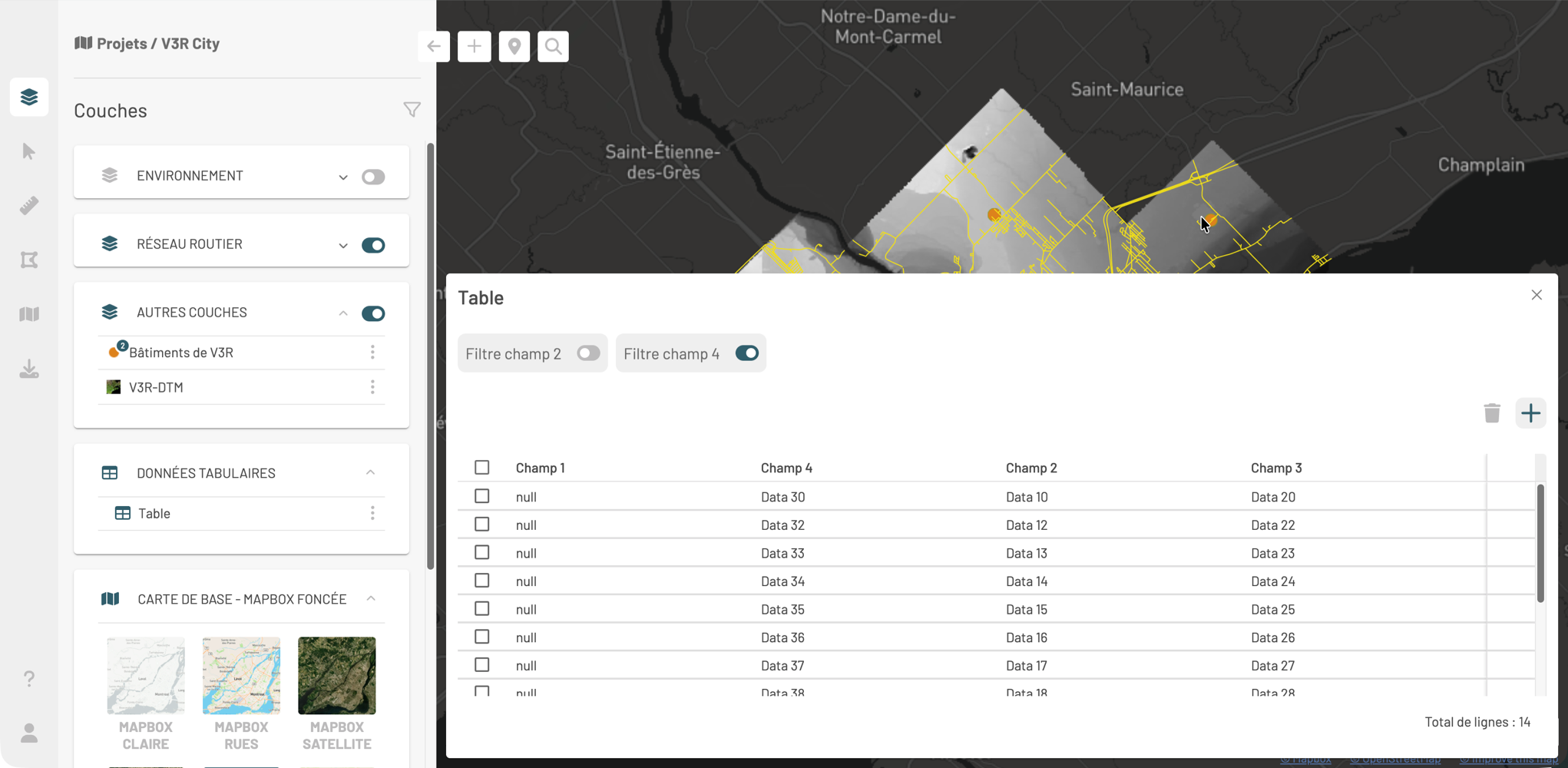
Les données non-spatiales s'affichent en tables, présentées dans le groupe **DONNÉES TABULAIRES** du panneau **Couches**.
## Ouvrir une table
Cliquez sur puis sur **Ouvrir la table**. La table s'affiche dans l'interface cartographique.
## Structure de la table
* Chaque **rangée** est un enregistrement
* Chaque **colonne** est un champ ou attribut
* **Total de lignes** indique le nombre d'enregistrements affichés
## Fonctions disponibles
* **Filtres** : Utilisez les interrupteurs / pour afficher uniquement les enregistrements correspondant aux critères des filtres.
* **Édition** (si vous avez les permissions) : Les icônes et sont activées. Voir la section [Éditer des données](/fr/jmap-ng/guide-dutilisation-de-jmap-ng/fonctions/editer-des-donnees.md) pour plus de détails.
## Fermer la table
Cliquez sur pour fermer la table.
 puis sur **Ouvrir la table**. La table s'affiche dans l'interface cartographique.
 /
/  pour afficher uniquement les enregistrements correspondant aux critères des filtres.
* **Édition** (si vous avez les permissions) : Les icônes
pour afficher uniquement les enregistrements correspondant aux critères des filtres.
* **Édition** (si vous avez les permissions) : Les icônes  et
et  sont activées. Voir la section [Éditer des données](/fr/jmap-ng/guide-dutilisation-de-jmap-ng/fonctions/editer-des-donnees.md) pour plus de détails.
## Fermer la table
Cliquez sur
sont activées. Voir la section [Éditer des données](/fr/jmap-ng/guide-dutilisation-de-jmap-ng/fonctions/editer-des-donnees.md) pour plus de détails.
## Fermer la table
Cliquez sur  pour fermer la table.